Coupons
Redeem coupons in the Rewards Store
Use CHOPS-Points to get digital coupons from participating restaurants.
Steps
- 1
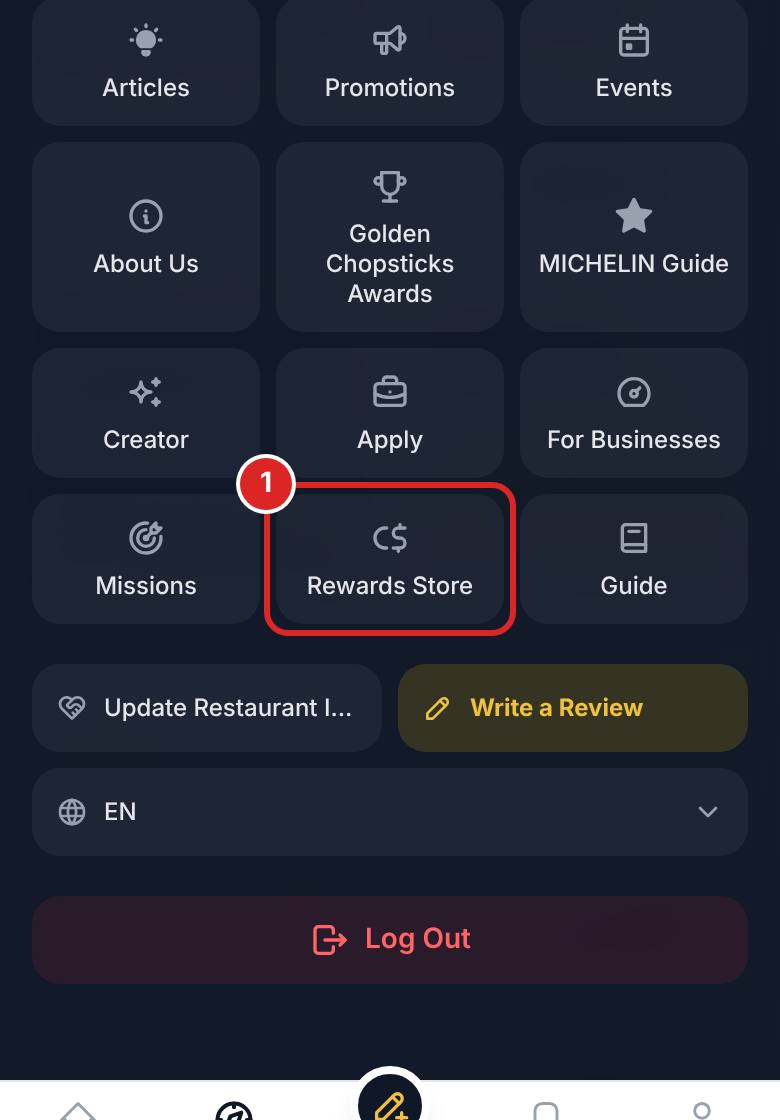
Open the Rewards Store from the top menu and browse the coupons.
- 2
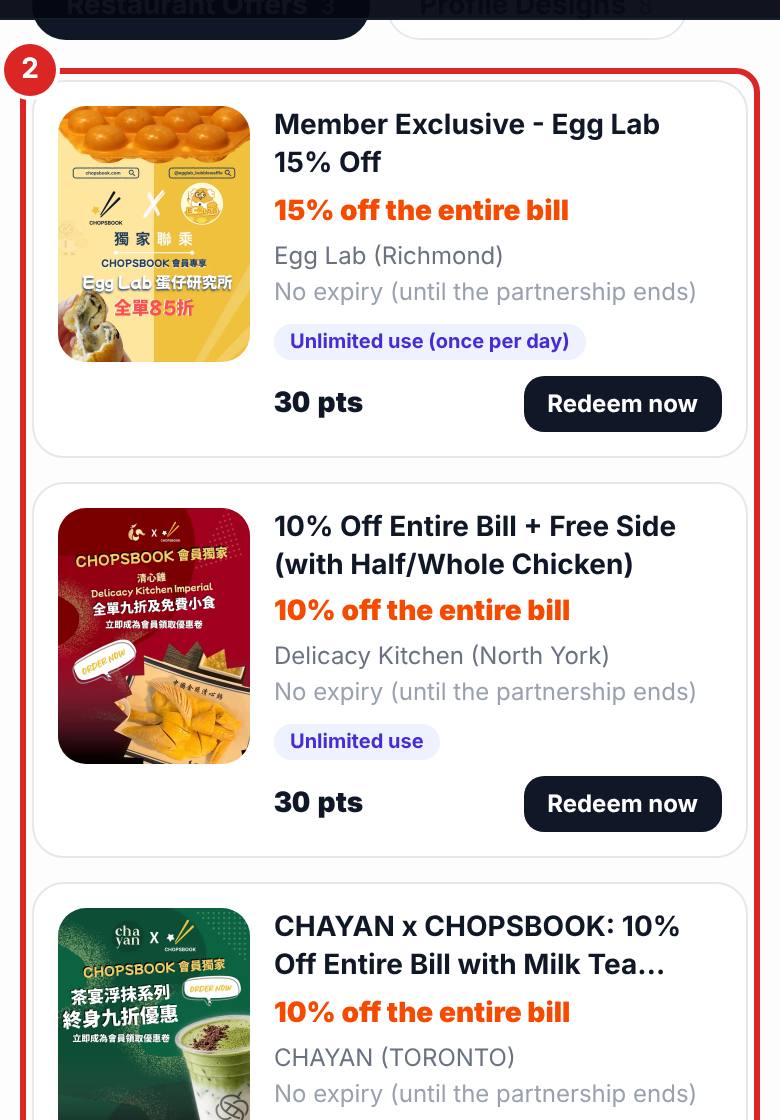
Tap a coupon to see the restaurant, terms and expiry date.
- 3
Tap Redeem Now and confirm. The coupon goes into your wallet.


FAQ
Can I cancel a redemption?
Redemptions cannot be cancelled once confirmed, so please read the terms and expiry date first.
Related articles
Updated: 2026-11-12
Still need help?
Contact us