Reviews and photos
Upload photos
Upload dish, interior or storefront photos to make restaurant pages more complete.
Steps
- 1
Open a restaurant page and tap Upload Photos.
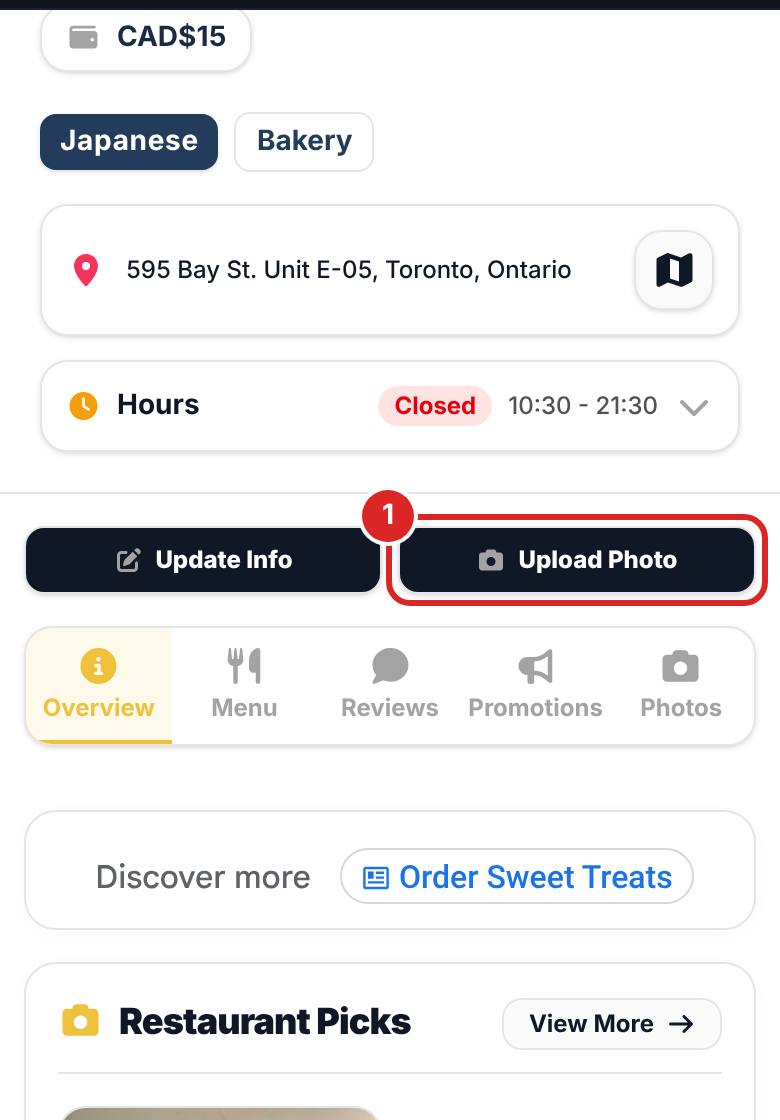
- 2
Choose and crop your photos. For storefront photos, try to fit the whole sign in.
- 3
Photos are checked before they appear on the restaurant page and count toward photo missions.

FAQ
Is there a size limit?
Photos are compressed automatically, so normal phone photos upload fine.
How do I take a good storefront photo?
Shoot from the front in daylight with the sign and entrance clearly visible, and avoid people or cars blocking the view.
Related articles
Updated: 2026-11-12
Still need help?
Contact us